Rate Limiting WordPress AJAX Handlers with Transients
Let's make the AJAX calls a bit more secure.

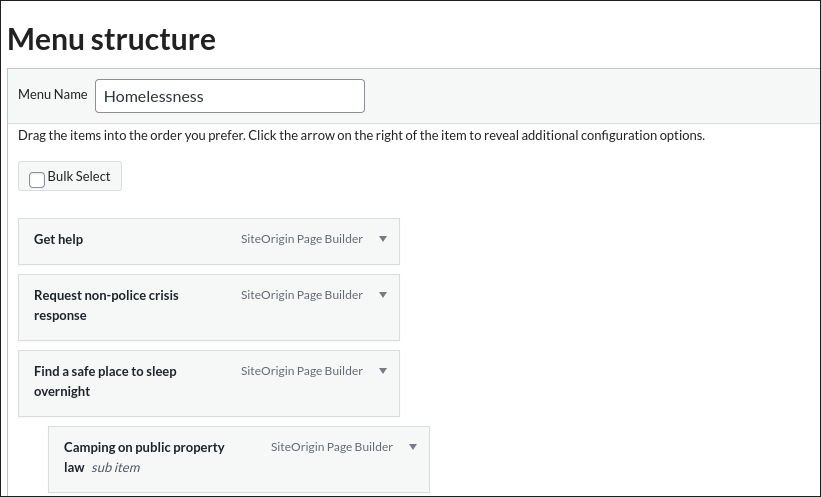
While doing a security audit of a customer plugin that adds a metabox to add pages to a WordPress Menu I noticed that their AJAX endpoints didn't have any mechanism to throttle the connections. If a logged-in user, or a script acting as a user, hammered on the AJAX actions this could create a denial of service on the site.
Today we're going to add transient based throttling to a WordPress AJAX call with a 10 second limit.
Why Transients
We'll use transients because they have a built in expiry mechanism, where as using a database option would mean we have to manage deleting it after a set amount of time.
- They have a built-in expiry mechanism — exactly what a rate limit window needs
- If an object cache (Redis, Memcached) is configured, transients live there instead of the database, which is faster and avoids write pressure on
wp_options - The API is simple enough that the entire mechanism is one small helper
See the Transients API docs for background on how storage and expiry work.
The Implementation
A private static helper handles the check. Each AJAX handler calls it after the nonce and capability checks.
private static function check_rate_limit( string $action, int $limit ): void {
    $key   = 'myplugin_rl_' . get_current_user_id() . '_' . $action;
    $count = (int) get_transient( $key );

    if ( $count >= $limit ) {
        wp_send_json_error( 'Too many requests. Please wait before trying again.' );
        // wp_send_json_error calls wp_die(), so nothing below this runs
    }

    set_transient( $key, $count + 1, 10 );
}
Called in each handler, after the security checks and before any work is done:
public static function edit_menu_item(): void {
    check_ajax_referer( 'myplugin_nonce', 'security' );

    if ( ! current_user_can( 'manage_categories' ) ) {
        wp_send_json_error( 'Insufficient permissions' );
    }

    self::check_rate_limit( 'edit', 2 );

    // ... rest of handler
}
The limits across the four handlers:
| Action | Method | Limit |
|---|---|---|
| edit item | edit_menu_item() |
2 / 10s |
| delete item | delete_menu_item() |
2 / 10s |
| get items | get_menu_items() |
5 / 10s |
| update order | update_menu_items() |
10 / 10s |
update_menu_items gets a much higher limit because the nestable.js change event fires on every drag, not just on drop. Reordering five items in a large menu can produce five sequential AJAX calls within a couple of seconds.
Once we get this into production we can change the number of calls allowed inside our 10 second window if users run into issues using the menu as expected.
This Is a Fixed-Window Counter
The approach above is a fixed-window rate limit: the 10-second window starts on the first request and the counter resets when the transient expires. The alternative would be to use a sliding window counter, so 10 requests in the last 10 seconds. That requires more complexity though and I like to stick with the easient workable option.
The practical consequence: a user can make 2× the limit across any two consecutive windows. If the limit is 2, someone can send 2 requests at the very end of one window and 2 more at the start of the next — 4 requests in under a second, none of which trip the limit.
For this use case (admin-only menu editing UI) that is an acceptable tradeoff. A sliding window would require storing timestamps for every request, which is more complex and more expensive. If you need a true sliding window, look at something like a sorted set in Redis rather than transients.
Pitfalls to Know About
The counter is not atomic
get_transient followed by set_transient is not an atomic operation. Two simultaneous requests from the same user can both read count = 0, both pass the check, and both write count = 1. Under real-world conditions with a single admin user this is unlikely to matter, but if you adapt this pattern for a high-concurrency context (frontend AJAX, REST API) the race window is a real problem. The fix there is to use an atomic increment — available in Redis with INCR, or via a DB transaction.
update_menu_items fires more than you think
The JS wires update_menu_items to the nestable.js change event:
$('.dd').nestable({...}).on('change', function() {
    // fires on every individual reorder step
    my_plugin_save_updated_menu_items( menuToUpdate, serializedMenuData, spinner, currentPostID );
});
A user rearranging a menu with 20 items could realistically fire 5–10 requests in a few seconds just from normal use. The 10/10s limit is sized to leave headroom for that. If your menus are significantly larger, raise it or debounce the event handler before adding rate limiting.
Multiple tabs share the same limit
The key is myplugin_rl_{user_id}_{action}. Two browser tabs editing menu items for the same user share one counter. Opening the post editor in several tabs simultaneously (common when comparing pages) will burn through the get_menu_items budget of 5 per 10 seconds faster than a single tab would.
Transient storage backend changes the behaviour
With the default DB backend, expired transients are not proactively cleaned up — they sit in wp_options until they're next accessed and found to be expired. This has no effect on correctness but can accumulate stale rows on busy sites. With an object cache backend, expiry is handled by the cache layer and cleanup is automatic.
Some caching plugins (notably those that aggressively flush wp_options) can delete transients before they expire, which would reset the counter mid-window and allow more requests than intended. If you're on a host that does this, the rate limiting degrades silently rather than breaking loudly.
Transient key length
WordPress has a 191-character limit on transient keys (172 before WP 6.3). The key format myplugin_rl_{user_id}_{action} is well within that, but it's worth keeping in mind if you extend this pattern with longer action names or composite keys.
What This Does Not Cover
This is defence-in-depth on the server side, layered on top of nonce verification and capability checks. It is not a substitute for either. A rate limit on its own does not prevent a determined attacker who has valid credentials — it just raises the cost of sustained automated abuse.